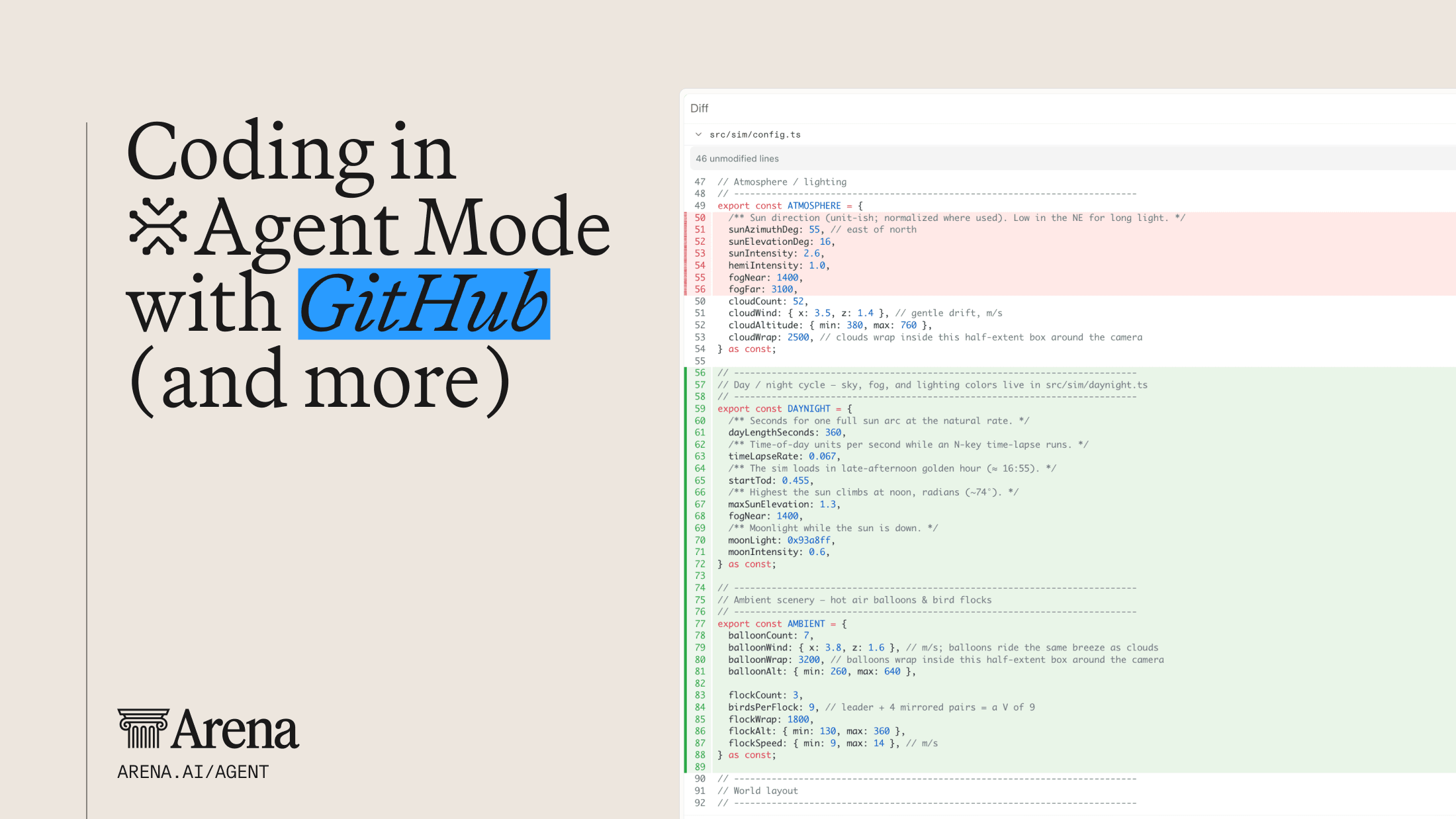

When we launched our first connector, starting with GitHub in Agent Mode, the goal was simple: let the agent run where your work actually lives, instead of making you move and shuttle content back and forth through an endless loop of “copy & paste.” This turned chat from a read-only experience into one where the agent could clone, edit, commit, and manage requests on your behalf, making the experience much more inclusive for the common workflows our community relies on daily.
But code is only one part of the picture. The context behind a task (i.e. the spec in Notion, the ticket in Linear, the email with the customer's request, the meeting on your calendar), lives in dozens of other places. Until now, getting any of that into Agent Mode meant copying it in by hand or copy and pasting, while important details got lost on the way.
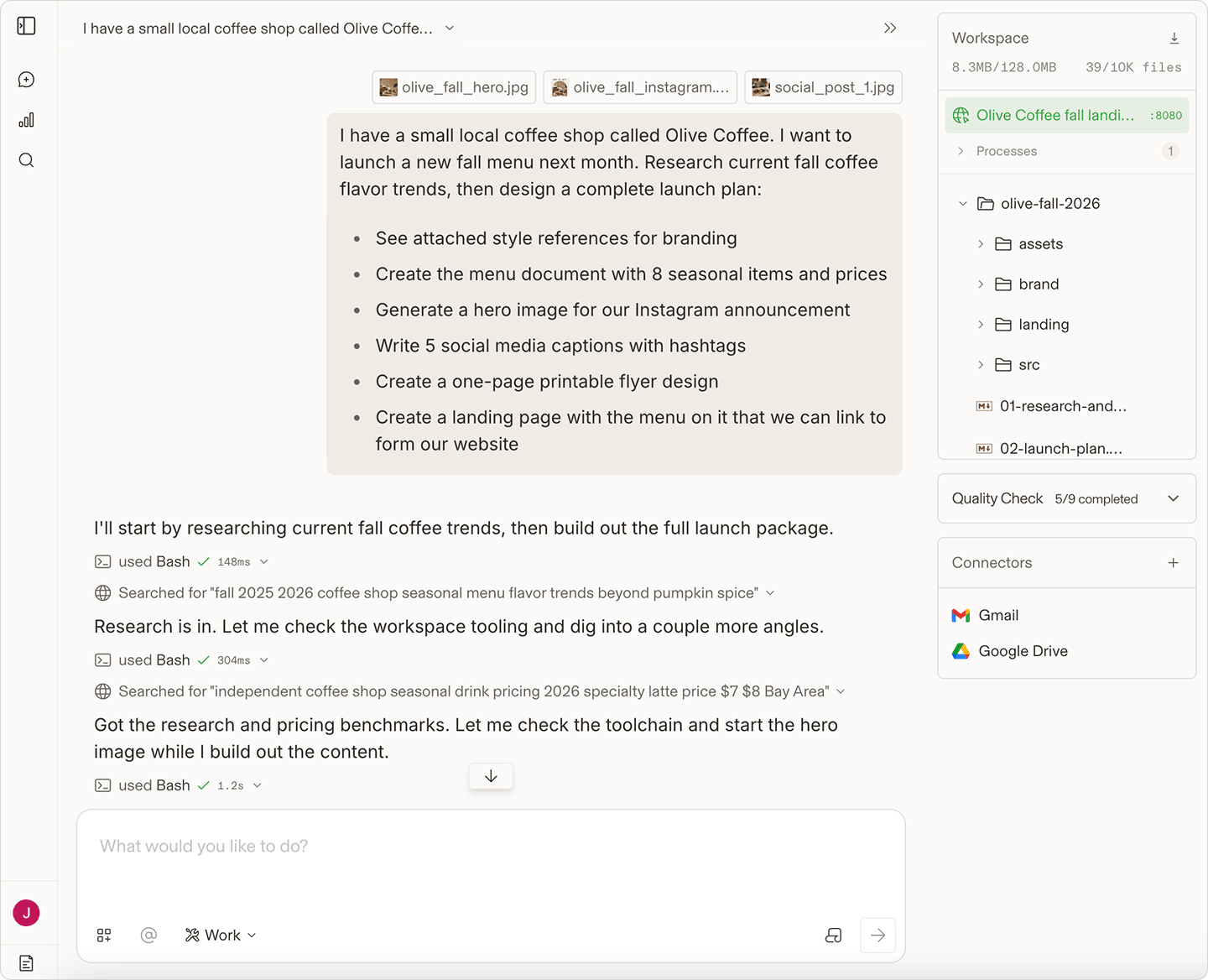
Today we are excited to introduce Connectors in Agent Mode. You can now easily connect your favorite tools and the agent can read from and act in those services directly as part of a task. By bringing real-world tools directly into Agent Mode, users can take on even more complex, real-world tasks from start to finish. Connectors are free to use on Arena and available now for logged in users at arena.ai/agent.
Over 10 new Connectors now available
An agent is only as useful as the context it can reach. Ask it to "write the release notes for this sprint" and it needs the tickets. Ask it to "prep me for my 2pm" and it needs the calendar invite, the doc attached to it, and the last email thread with that customer. Without connectors, you are the integration layer, and every handoff is a chance for something to fall through the cracks.
Connectors close that gap. Each one gives the agent a set of purpose-built tools for a service, so it can search, read, and take actions with the same permissions you have. We want to keep your normal workflows intact, bringing all the tools you use right into the Agent Mode experience to help our user community do more.
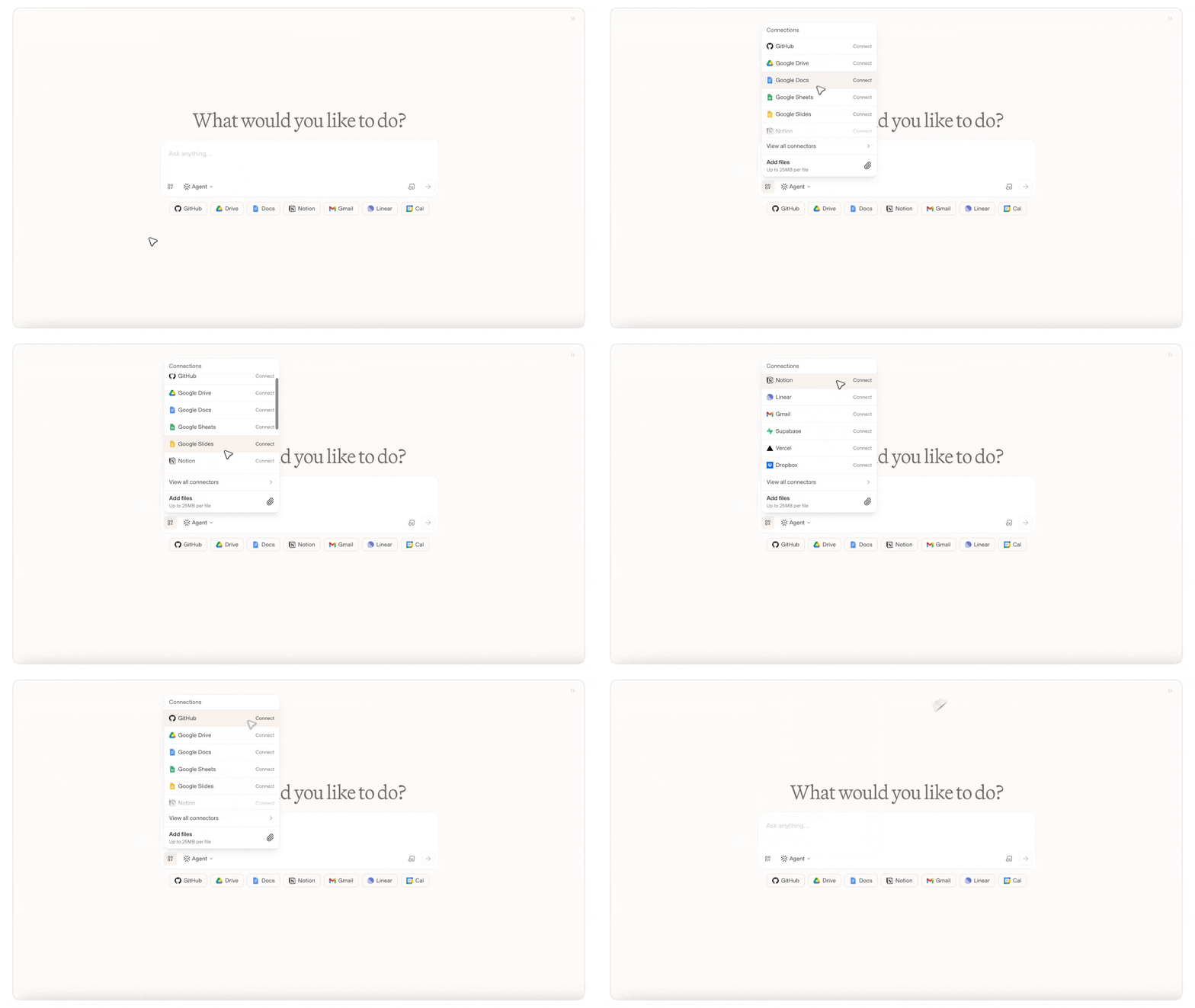
At launch, the featured connectors include the following (with more to come):
- Vercel — deploy and manage web apps and projects
- Supabase — add database technology to your next app or website
- Google Drive — find and read documents, sheets, and slides
- Dropbox — Store, manage, and share files instantly
- Google Workspace — Google Slides, Docs, and Sheets
- Linear — look up, create, and update issues and projects
- Gmail — search and read mail, and draft or send messages
- Google Calendar — check availability and read or create events
- Notion — search and read pages and databases, and write new content
- GitHub — clone repos, review diffs, commit, and open pull requests (the connector we shipped in August, now alongside the rest)
We are starting with some of the most requested services from our community, but will keep extending the list over time.
Unlocking more workflows
The interesting part with including these connectors right in Agent Mode is what happens when the agent can move across several of them in one task.
- From ticket to pull request: Point the agent at a Linear issue. It reads the ticket, pulls the design spec linked from Notion, makes the change in your GitHub repo, opens a PR, and posts the link back on the issue and in your team's Slack channel.
- Meeting prep in one prompt: "Get me ready for my next customer call." The agent finds the event in Google Calendar, opens the agenda doc in Drive, pulls the last few email threads with that customer from Gmail, and hands you a one-page brief.
- Weekly updates that write themselves: Ask for a status update and the agent gathers what shipped from GitHub, what moved in Linear, then drafts the summary as a Notion page.
- Inbox to action: Hand the agent a customer email. It drafts the reply, files a Linear issue for the bug the customer reported, and adds a follow-up to your calendar.
- Research across your files: Ask the agent to summarize a project using documents from Google Drive and Dropbox, then draft an email with the key findings.
In each case the agent is doing what you would have done, in the services you already use, without you copying a single line between tabs.
How It Works
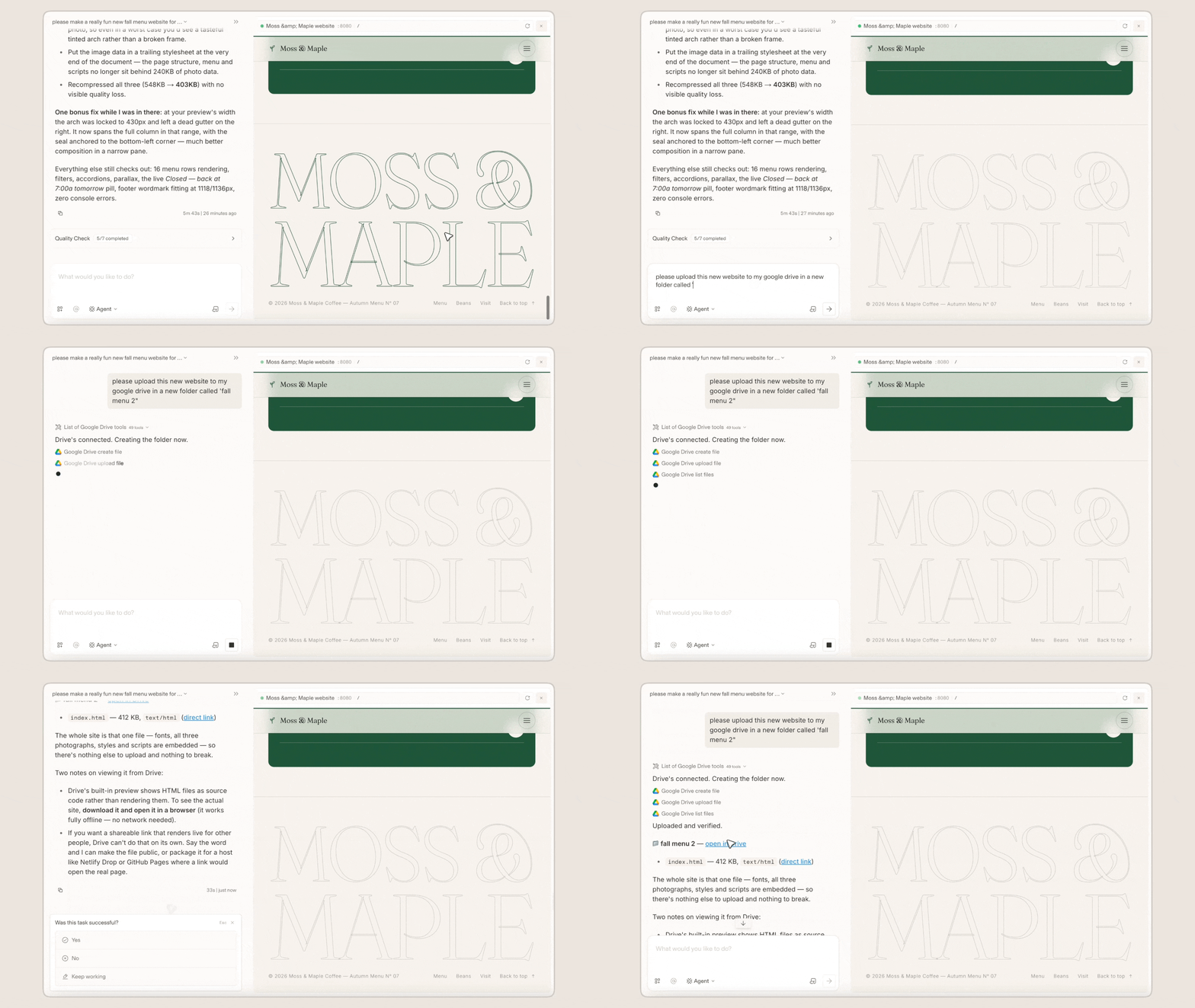
Connecting a service is simple: Open Agent Mode, pick a connector from the row below the input box, and sign in with the service's own OAuth flow. Once connected, toggle the connector on for any turn where you want the agent to use it, and off when you don't.
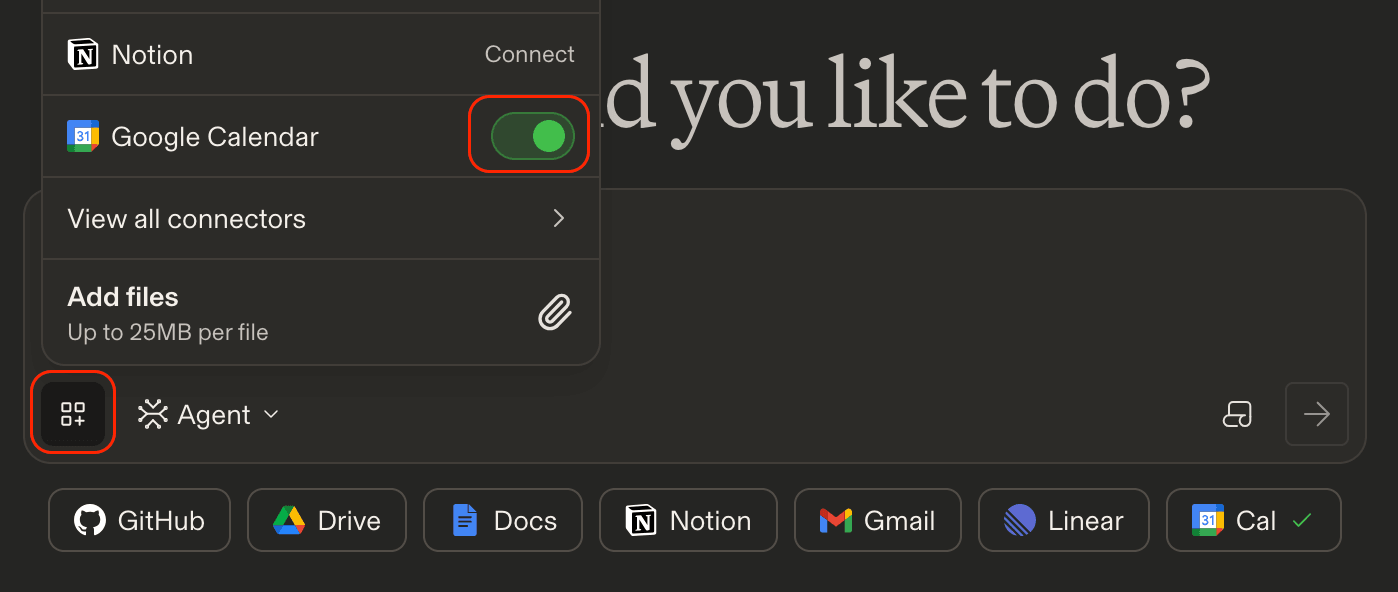
A few things we designed in from the start:
- Control your credentials: You're in control of your connections. Connectors use secure authorization flows, and the agent can only access services you've connected and enabled, within the permissions you've granted.
- Connectors are opt-in per turn: A tool is available to the model only when you have connected its service and enabled it for the current turn. Nothing is loaded in the background.
- Lean context: The agent loads only the tool definitions it needs for the task at hand, so adding more connectors does not slow it down or crowd out the rest of your conversation.
- Built for reliability: If a service is temporarily unavailable or needs to be reconnected, the agent lets you know and continues working on the rest of your task. Other tools and workflows remain unaffected.
- Same safeguards as everything else in Agent Mode: Connector results go through the same data-loss-prevention and output moderation policies that already apply to Agent Mode.
Connectors are free to use on Arena!
What's Next
The GitHub connector showed us what happens when the agent can work inside the tools people actually use: tasks that used to take a dozen copy-pastes turn into a single prompt. Connectors extend that to the rest of your workday. We will be adding more services over the coming months, and we would love to hear which ones you want first.
Ready to try it out? Open Agent Mode, connect your accounts with a single click, and hand the agent a task that used to live across five tabs. And if you have questions, make sure to visit our Help Center to learn more.